CLARITY BEHIND THE PASS

Kitchen DisplayLess chasing.
More cooking.

Give the kitchen a focused view of what needs attention. Orders, dish instructions and communication with the floor stay together through service.

For chefs, kitchen teams and shift leads

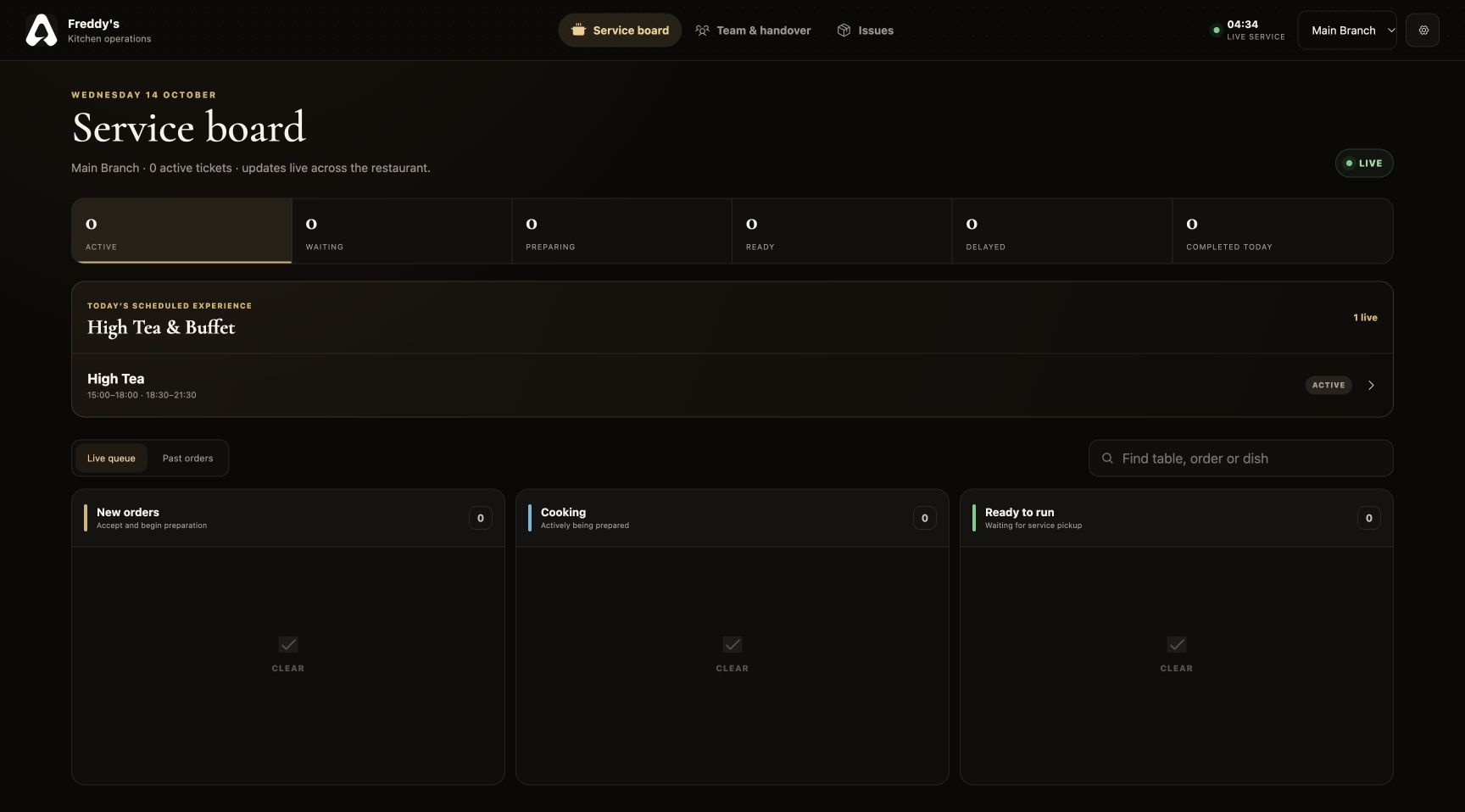
For The Tabl. The live service board interface

Kitchen Display · FOR RESTAURANT BUSINESSES

What is a restaurant kitchen display system?

A kitchen display system (KDS) organizes restaurant orders on a screen so chefs can see what to prepare and communicate progress. For The Tabl. connects the kitchen service board to the restaurant’s waiter and QR orders, with table details, item instructions, preparation references and pickup alerts.

Owners can keep preparation context and service communication in the same restaurant system. Branch-scoped access helps each kitchen work with the menu and orders relevant to its location.

Step inside the features
LOOK INSIDE KITCHEN DISPLAY

Behind the pass.Ahead of the rush.

SCROLL TO STEP INSIDE
Kitchen Display / THE CONNECTED EXPERIENCE

A clearer picture of what comes next.

Bring the queue, preparation context and the conversation with the floor into one kitchen workspace.

See the features
For The Tabl. The live service board interface

THE CAPABILITIES, UP CLOSE

A kitchen display system built around the next action.

Keep preparation, pickup and communication in view. The kitchen gets the context behind each order and a clear way to signal the floor.

01 / Kitchen Display

The service board

Organize preparation around the order queue.

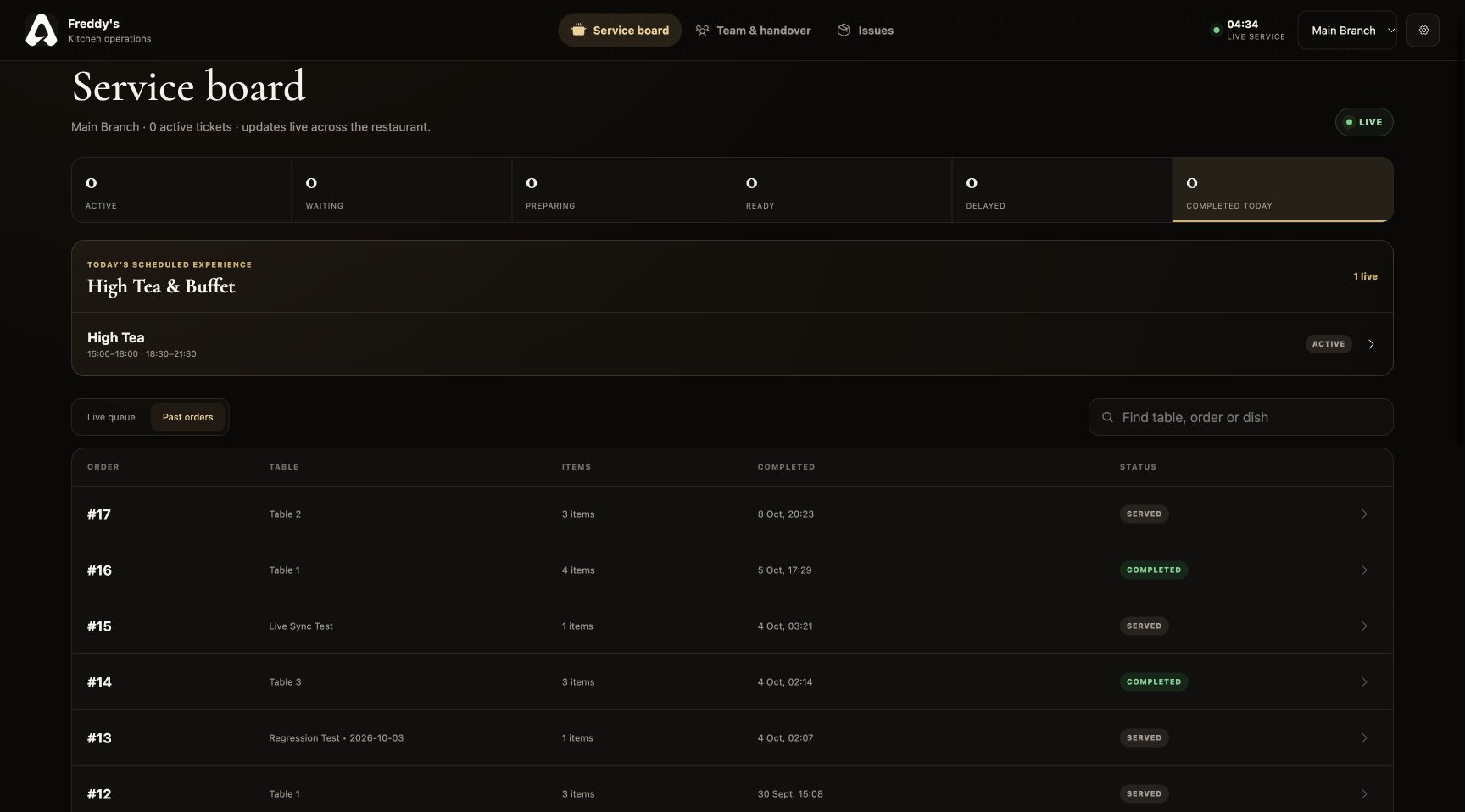
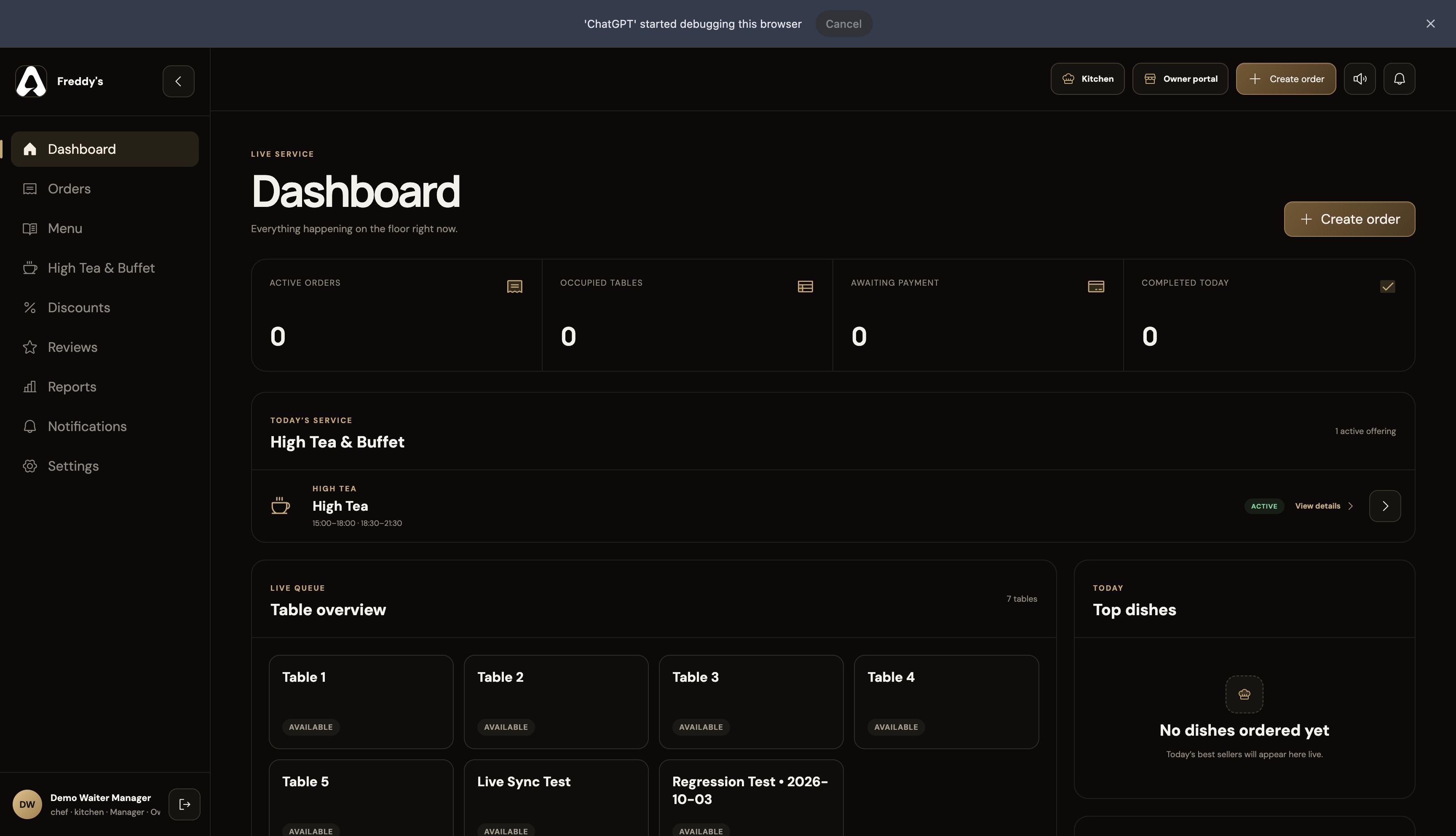
Organize incoming work by preparation status and open an order for its table context. Earlier orders remain accessible without filling the live queue.

  • New, cooking and ready columns
  • Order and table search
  • Order detail access
  • Past-order visibility
Kitchen order board with past-order visibility
Kitchen Display · The service board · Product interface
02 / Kitchen Display

Preparation context

Put the restaurant’s dish knowledge close to the queue.

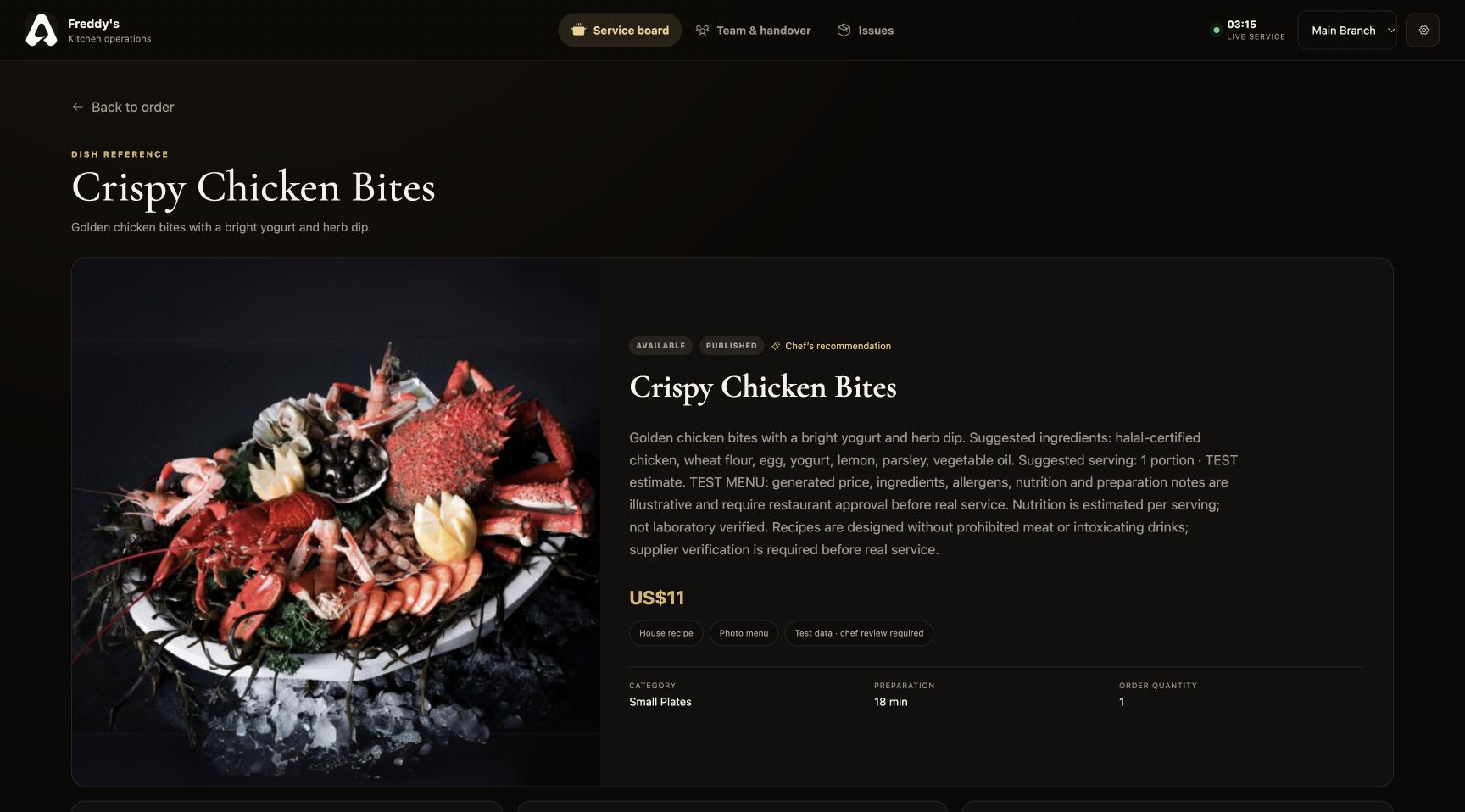
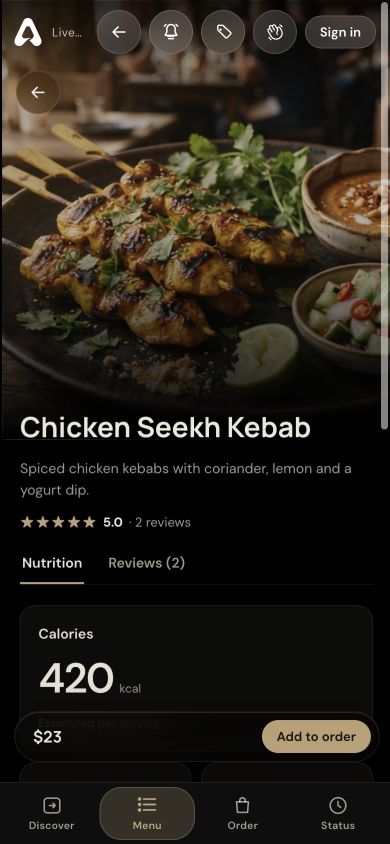
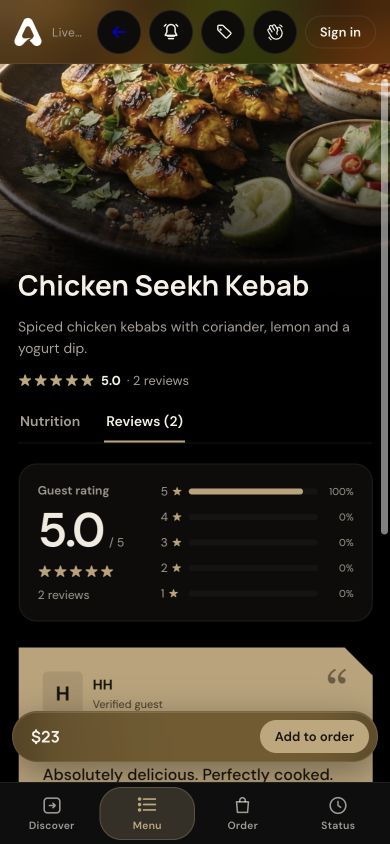
Put owner-maintained preparation notes and reference images close to the order. Selected variations and special instructions give the kitchen context for the plate being prepared.

  • Selected variations and instructions
  • Kitchen preparation notes
  • Reference images and dish details
  • Day-specific High Tea menus
Kitchen dish detail view with preparation reference
Kitchen Display · Preparation context · Product interface
03 / Kitchen Display

Team communication

Keep both sides of the pass informed.

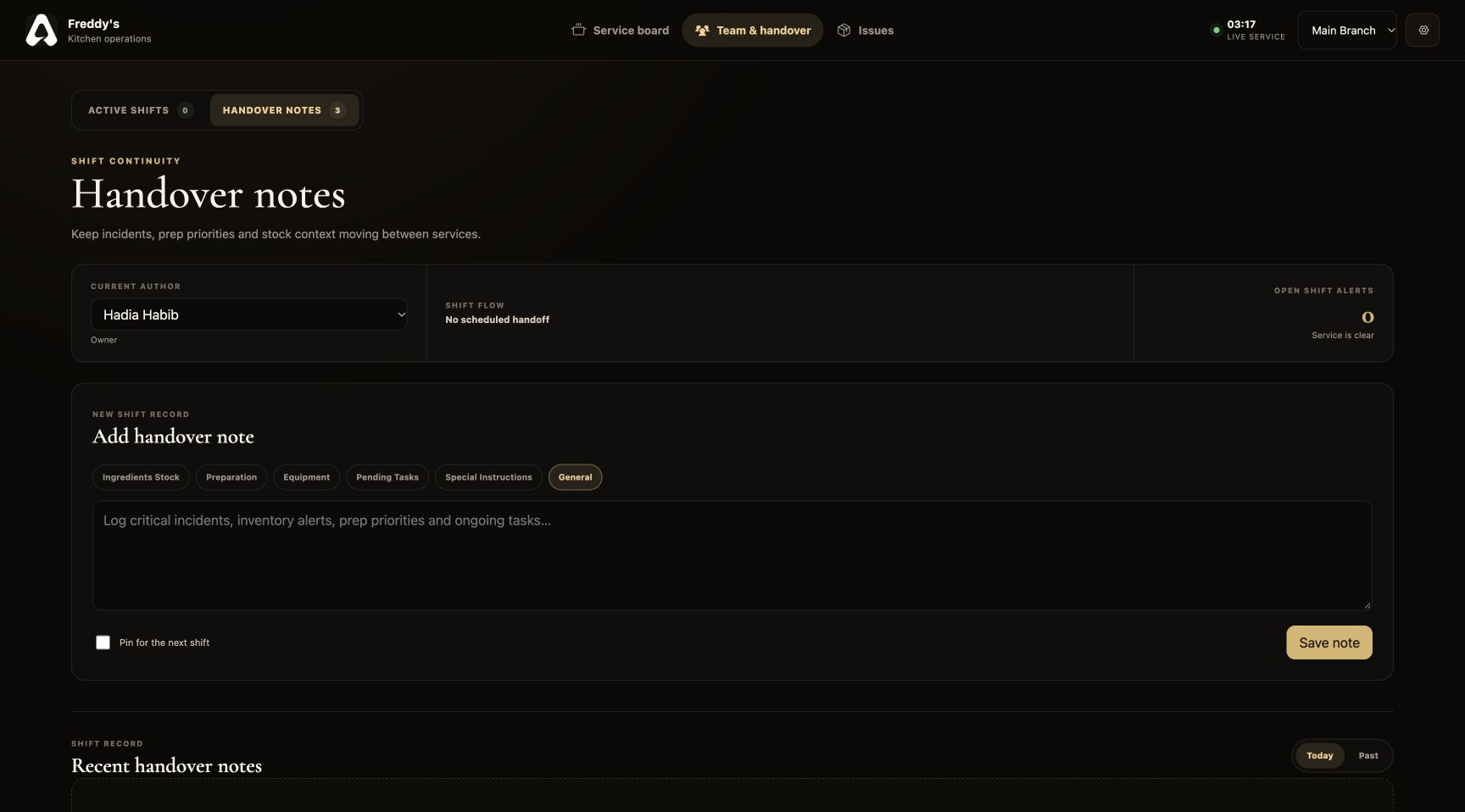
Signal when food is ready for pickup, see buffet replenishment requests and leave handover notes. Dish issue reports give management a record of what needs attention.

  • Ready-for-pickup alerts to staff
  • Buffet running-low alerts
  • Dish issue reports with images
  • Pinned handover notes
Kitchen handover notes and team communication interface
Kitchen Display · Team communication · Product interface

A CLOSER LOOK

Made for the way
service happens.

Follow the workflow. See where Kitchen Display fits into your restaurant’s day.

STEP 01

See the incoming queue

Restaurant and branch orders appear on the service board, with their table and preparation details.

Kitchen Display
The live kitchen service board with New orders, Cooking and Ready to run columns and today’s High Tea

THE DETAILS THAT MATTER

Everything has
its place.

Bring restaurant orders, preparation instructions, kitchen alerts and shift handovers into one kitchen display system with For The Tabl.

01

A board built around status

See where orders stand in the kitchen workflow and move work forward from the service board or order detail.

02

Recipe context when it matters

Open dish details for the preparation notes, reference imagery and nutrition information your restaurant has added.

03

A connection to buffet service

View the High Tea menu for its configured day and availability. Running-low alerts from the floor help the kitchen see what needs replenishing.

04

Continuity between shifts

Handover notes and reported dish issues keep context available to the team and restaurant management.

BUILT FOR RESTAURANT BUSINESSES

Six perspectives.
One operation.

Kitchen Display is part of a connected restaurant platform. Your menus, orders and service information support the people who need them.

FROM SETUP TO SERVICE

Make it part
of your day.

Set up your restaurant’s information, connect the right people and walk through a service before introducing it to guests.

Discuss your restaurant’s workflow ↗
  1. 01

    Configure your restaurant

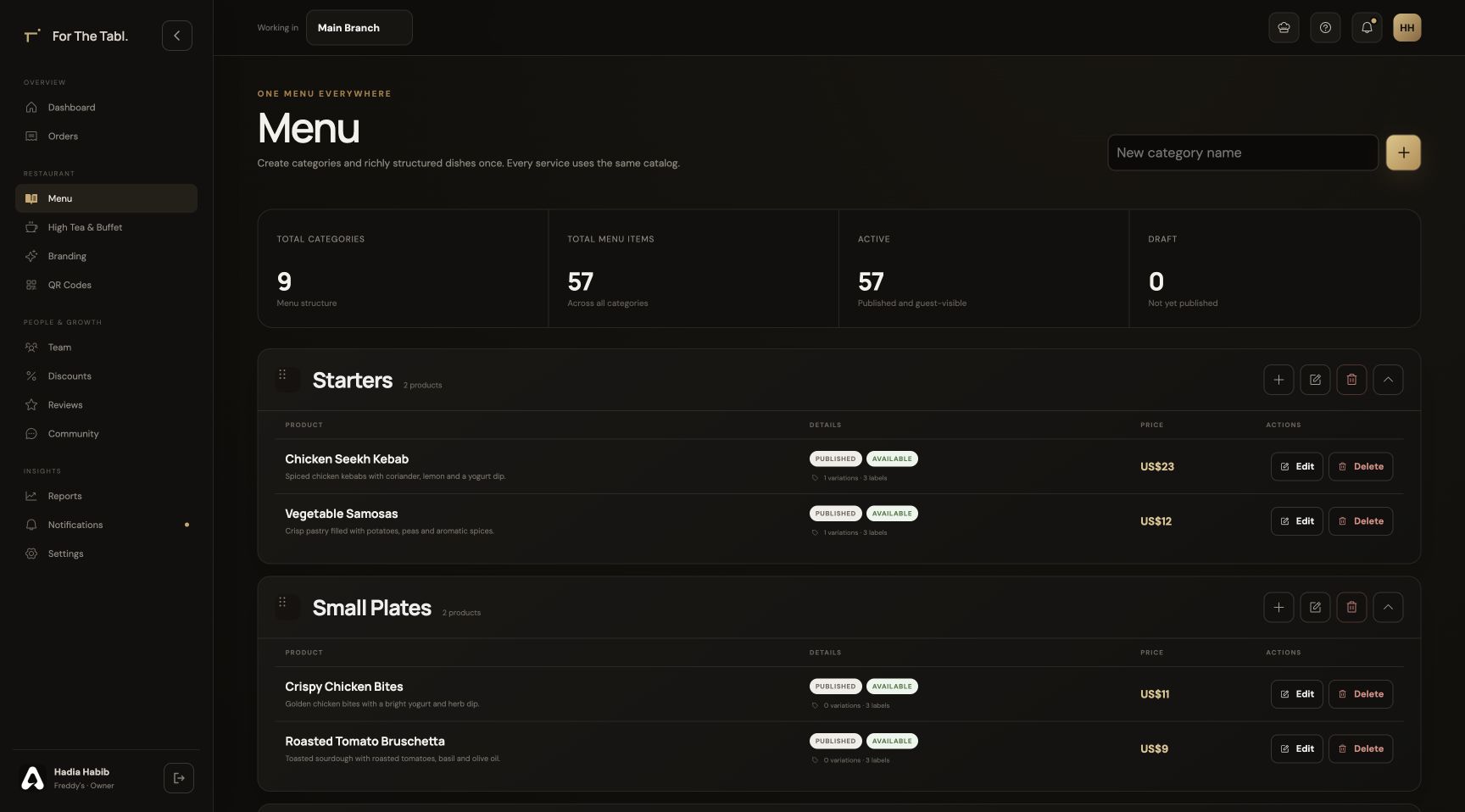
    Add your branch, menu, brand and tables in the Owner Portal.

  2. 02

    Bring your team together

    Assign roles and branches so each person opens the appropriate workspace.

  3. 03

    Run through the experience

    Check the journey from a table QR through ordering, preparation, service and checkout.

Kitchen Display FAQ

A little more
clarity.

Talk to our team ↗
What is a kitchen display system?

A kitchen display system, or KDS, organizes incoming restaurant orders on a screen so the kitchen can see what to prepare, read instructions and communicate progress.

Is the kitchen connected to the waiter POS?

Yes. Both work from the restaurant’s order records. Marking an order ready feeds the staff pickup flow, while service notes stay attached to the order.

Can the kitchen see menus for other restaurants?

Access is scoped to the restaurant and the user’s assigned branches. The kitchen works with the menu and orders for its own restaurant context.

Can chefs see special instructions and selected variations?

Yes. Order details include the selected item options and special instructions. The kitchen can also open the dish information maintained by the restaurant.

Does the kitchen display support High Tea and buffet service?

Yes. It displays the configured High Tea offering and its applicable menu. Running-low alerts from staff help the kitchen identify items that need attention.

LET’S SET YOUR TABLE

Great service starts
with a connection.

Register your restaurant Have a question? Let’s talk.